
We are mailing our Annual Savings statements from 23 April through to 29 April. All statements should be received by 8 May. If you have access to review your account through our app or website then you will not be sent a paper statement as you can view your accounts at any time.
Call us
Mortgage telephone numbers
For existing customer mortgage enquiries:
Lines are open:
Automated services (e.g. balance enquiries, making mortgage payments and password resets) are available 24 hours a day, 7 days a week
Savings telephone numbers
Existing savings customers
Lines are open:
Automated services (e.g. balance enquiries** and password resets) are available 24 hours a day, 7 days a week
** Please note: online account holders cannot check their balance or recent transactions by calling this number. To do this please log into your online account.
Report a lost/stolen card
Automated service available 24 hours a day, 7 days a week
Or report it at your local branch or online
Insurance telephone numbers
Other ways to contact us
Message us
If you are registered to use our Online Services, log in to send us a secure message.
Email us
For general questions about our products and services, you can send us an email.
Visit a branch or agency
Use our location finder to find your local YBS branch or agency.
Book an appointment
Book a branch or telephone appointment to talk to one of our advisers.
Email us
Please complete our form if you have a general question about our products and services
Still looking for help?
Try entering a query in the Search our website and FAQs box at the top of the page.
If you cannot find the answer in our please use our contact form to send us your query.
Important information
Existing customers - please note that for security reasons we cannot include personal account information in email responses. If your question is account-specific and you are registered for Online Services, please login to your account and go to the Message Centre to contact us. This will enable us to respond to you securely and give account-specific information. If you are not registered for Online Services please ring us on 0345 850 4041* to discuss your account; alternatively you can register online to use our Online Services.
Secure messaging
Log-in to send a secure message
1. Log in to your account
Online Services users can send us a secure message simply by logging into their account.
Not registered?
If you are not registered for Online Services please ring us on 0345 850 4041* to discuss your account; alternatively you can register online to use our Online Services.
2. Write message
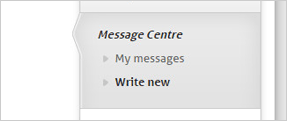
On the Contact Us menu, under 'Message centre, select 'Write New'.
As well as sending us a message, this service provides an integrated self-help option and unlike email allows us to include personal or account specific details in our reply.
3. Email notification
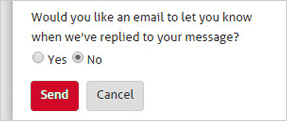
You also have the option to receive an email notification to tell you when we've replied to your secure message.
The reply is available to view the next time you log in.